Web UI generation #
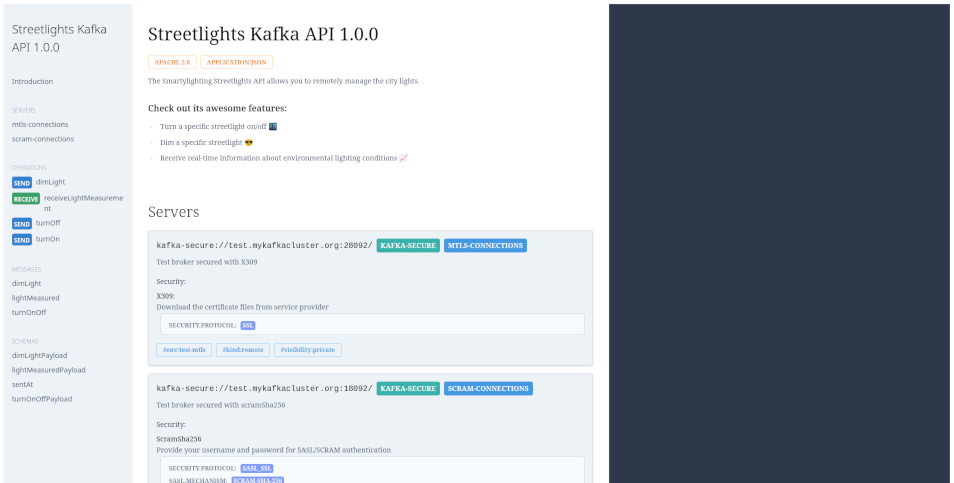
ui command generates a web-based user interface for a AsyncAPI document. This command can produce a static
HTML page (with external or embedded JS/CSS assets) or serve the UI via a local web server.
As a machinery, it leverages the AsyncAPI React Component.
Usage #
All command options are duplicated in configuration file. So, you can set them there as well.
go-asyncapi ui asyncapi-document.yaml
By default, the command generates a static HTML file named after the AsyncAPI document with a .html extension in the
current working directory. This file can be opened in any modern web browser or deployed to any static web hosting service.
Serving the UI #
To run the built-in web server to serve the UI, use the -l or --listen flag:
go-asyncapi ui -l asyncapi-document.yaml
By default, UI is available at http://localhost:8090.
You can also specify a different ip and port using the -a or --listen-address flag:
go-asyncapi ui -l -a :8081 asyncapi-document.yaml
Bundling the assets #
By default, the ui command generates the HTML that relies on third-party CDNs to load necessary JS/CSS assets.
Sometimes it is desirable to have all assets served locally. This may be useful for offline usage or to avoid
external dependencies.
To generate a self-contained HTML file with all assets embedded, use the -b or --bundle flag:
go-asyncapi ui -b asyncapi-document.yaml
Custom assets #
go-asyncapi includes the following assets by default:
- https://unpkg.com/@asyncapi/react-component@latest/styles/default.min.css
- https://unpkg.com/@asyncapi/react-component@latest/browser/standalone/index.js
However, you can provide your own assets, which may be helpful to pin the assets to a specific version or to apply custom styling.
The --bundle-dir option specifies a directory containing all files (in any format, not only JS or CSS) that should be
bundled instead of the default ones:
go-asyncapi ui --bundle-dir ./my-assets asyncapi-document.yaml
The combination of -l, -b and --bundle-dir runs a local web server using only the custom assets, which is useful for
building the isolated Docker images with UI or testing:
go-asyncapi ui -l -b --bundle-dir ./my-assets asyncapi-document.yaml